28/5/2026 · 12 min read
For most of the last decade, design handoff meant a Zeplin link, a folder of exported PNGs, and a Slack thread where the developer asked the same spacing question three times. Figma improved on that incrementally — inspect panel, component properties, Dev Mode — until the pipeline started to look, from a distance, almost solved.
It is not solved. But it is genuinely different. The frontier of friction has moved. It used to live at "how does the developer find out what font size this is". In 2026 it lives at "how does the design system in Figma actually stay in sync with the design system in code". That is a harder problem, and solving it requires understanding every layer of the pipeline — not just the tool that sits at each end.
The core workflow has consolidated around Figma in a way that was not true even three years ago. Most product teams no longer maintain a separate handoff tool — Figma is the source of truth from wireframe to final spec. Dev Mode formalised the boundary between design and development inside a single file, which removed an entire category of "where do I find the latest version" friction.
Variables and design tokens became first-class citizens in Figma in 2024 and have since matured into the backbone of serious design systems. Developers can now pull token values directly from a shared source rather than transcribing them manually from inspect panels. That alone eliminated a measurable class of implementation drift — the kind where a button ends up four pixels off not because anyone was careless but because someone wrote a number down wrong.
What has not changed is the fundamental asymmetry of the medium. Figma is a static-layout tool. Code is a dynamic-layout system. The designer works in artboards with fixed viewports; the developer works in a box model that reflows, scales, and responds to content it has never seen. Every handoff is a translation between those two mental models, and no amount of tooling fully automates a translation between things that are genuinely different.
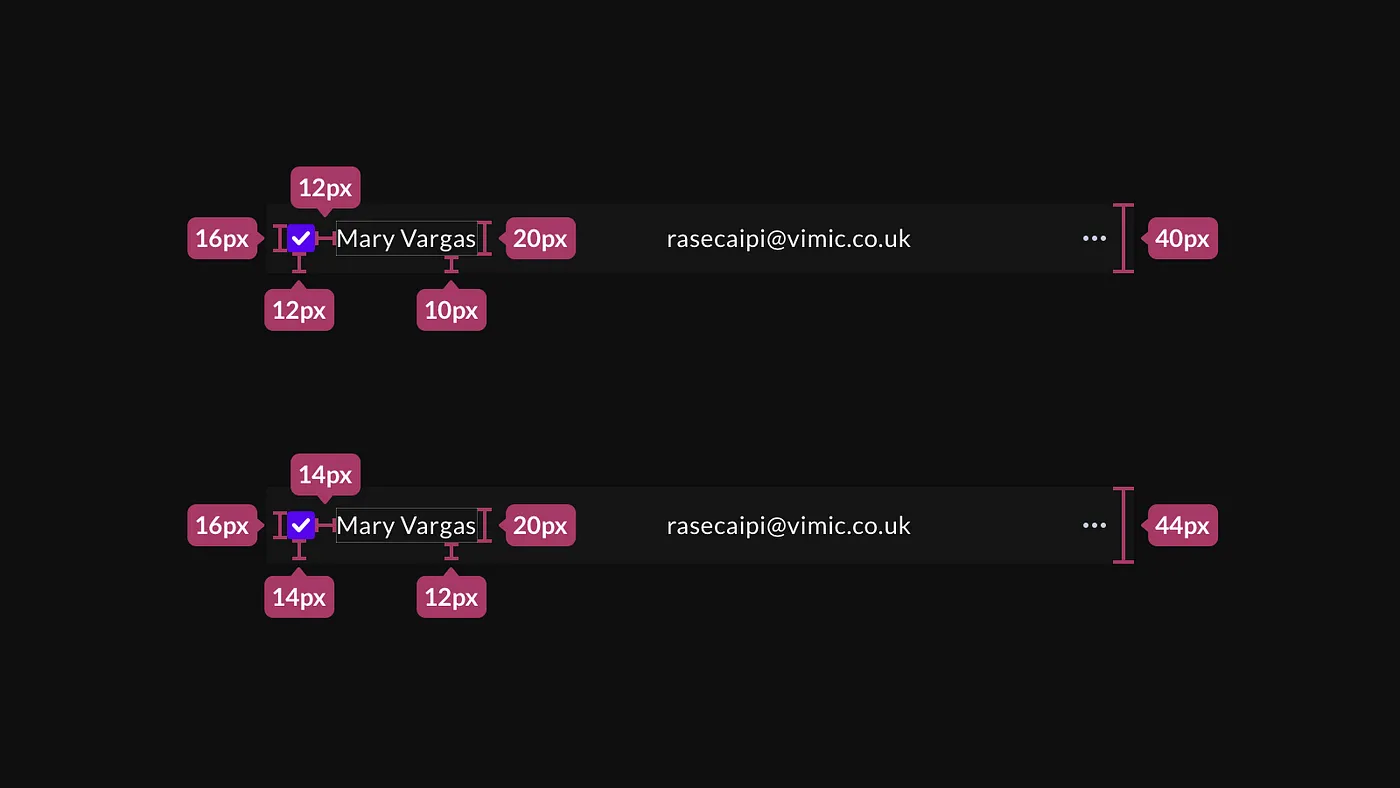
Dev Mode is the most significant structural improvement to the Figma-to-code pipeline in years. Giving developers a dedicated view — separate from the design canvas, focused on measurements, properties and copy — was the right call, and the teams that use it properly report real reductions in back-and-forth. The ready-for-dev status marker alone changed how some organisations run design reviews.
Where Dev Mode earns its praise is in specifics. Code snippets for CSS properties are accurate and useful. Variable references surface correctly when the file uses tokens properly. The component panel shows all applied properties in a way that is actually readable. For a developer working on a well-structured file, the inspect experience is genuinely better than it was.
Where it falls short is equally specific. Dev Mode has no understanding of layout behaviour — it can tell a developer that a column gap is 24px but it cannot explain whether that gap should hold at every viewport or collapse on mobile. It has no concept of state transitions — hover states, loading states, error states are often scattered across the file with no structural link between them. And it has no mechanism for surfacing design decisions, only design values. The developer can see that the radius is 8px; they cannot see that it was changed from 12px after a usability test and should not be changed back.

If you are looking for the single change that has moved the handoff pipeline furthest in the last two years, it is not Dev Mode — it is design tokens. Tokens are the layer where the abstract design decision (this is the primary action colour) maps to the concrete implementation value (this is #1D4ED8 in light mode, #60A5FA in dark mode), and they are the only part of the pipeline that is genuinely shared between the designer and the developer rather than owned by one side and inspected by the other.
The W3C Design Token Community Group specification gave the ecosystem a common format, and tools like Style Dictionary, Tokens Studio for Figma, and Figma's native Variables have converged on an implementation that is actually usable. A token defined in Figma can now travel to a CSS custom property, a Tailwind config, a React theme object, or a native platform variable with minimal manual transformation. That is a genuine pipeline improvement, not marketing.
The caveat is that tokens only work as a handoff layer when the system is well-governed. Unstructured tokens — colours named by value rather than by role, spacing values without a scale, a typography system that was never rationalised — replicate the mess from Figma to code automatically. The token layer amplifies whatever discipline exists in the design system. It does not supply discipline where none exists.
The teams that have made tokens work well share a common characteristic: they designed the token taxonomy together, the designer and the developer in the same room, before either of them built anything. The semantic layer — the names that describe intent rather than value — cannot be generated by a tool. It has to be decided by people who understand both what the design needs to express and how the code needs to consume it.

The component model in Figma and the component model in code are conceptually similar and structurally different in ways that matter enormously at the edges. A Figma component has variants and properties. A React component has props. The surface area looks similar; the behaviour diverges immediately. A Figma component cannot fetch data. A React component can. A Figma component variant is a static frame; a React component state is a function of runtime conditions. The mapping is real but not one-to-one.
The well-run design systems in 2026 have made the component relationship explicit in both directions. The Figma component library mirrors the code component library at the level of names, properties, and states — not necessarily at the level of every internal frame. When a developer looks at a Figma component, they can find the corresponding code component immediately because it has the same name and the same prop surface. When a designer adds a new variant to a Figma component, there is a documented process for whether that creates a new prop or a new component in code.
Figma Code Connect, released in 2024, was an attempt to formalise this mapping at the tooling level. It lets teams annotate Figma components with their code counterparts so that Dev Mode can surface the actual import and usage snippet rather than a generated CSS approximation. In practice it works well for teams disciplined enough to maintain the mapping, and adds overhead without value for teams that are not. It is infrastructure, not automation — it requires investment before it pays off.
Figma Make, Locofy, Anima, Builder.io — the AI code generation layer has matured enough that dismissing it is no longer credible. These tools can produce production-quality code from a Figma frame for a specific class of problem. A marketing landing section, a simple card layout, a form with known field types — an AI tool can generate usable, reasonably clean code from a well-structured Figma frame in the time it would have taken a developer to set up the file.
Figma Make is the most interesting development because it lives inside Figma itself and generates interactive prototypes in addition to static code. The interaction model it has adopted — describe the behaviour you want, have the AI implement it, iterate in the same canvas — closes a loop that previously required a separate prototyping tool or a developer. For concept validation and client review, that is genuinely useful.
The honest limitations are not about code quality — they are about scope. AI code generation works on isolated components and simple layouts. It does not understand your existing codebase. It does not know which components already exist and should be reused rather than regenerated. It produces output that matches the Figma frame pixel-for-pixel at a fixed viewport and frequently breaks at widths the designer did not spec. The output is a starting point, not a deliverable — and on a codebase that already has structure, the cost of integrating generated code can exceed the cost of writing it.
The workflow where these tools genuinely save time is greenfield: a new landing page, a standalone marketing component, a prototype that will be thrown away after user testing. On an existing product with a design system, the better investment is Code Connect and token synchronisation, not AI generation — because the existing system already has the answers, you just need to surface them.
The most productive designers on engineering-heavy teams are not the ones who know how to code — though that helps. They are the ones who understand the constraints of the medium they are designing for well enough to design within them rather than against them. In 2026 that means having a mental model of how Figma concepts map to layout primitives, even if you never write a line of CSS yourself.
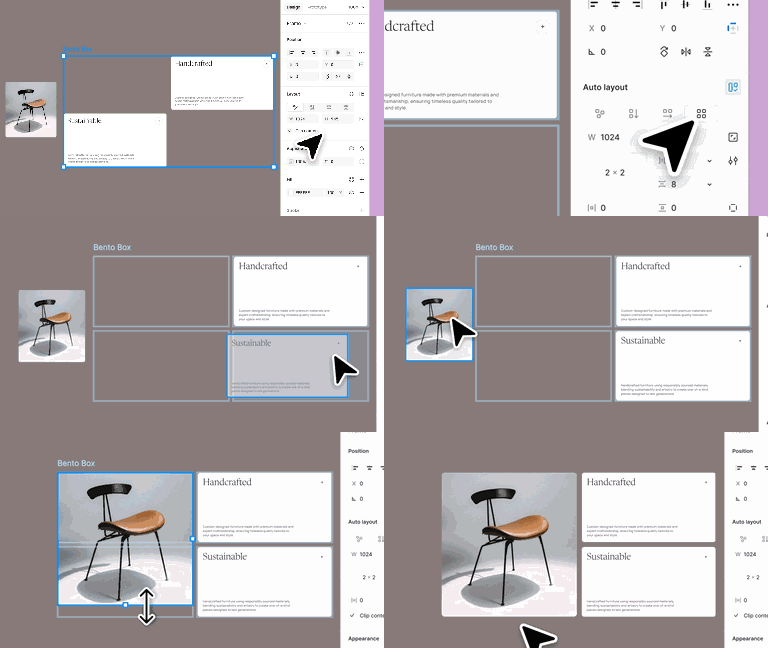
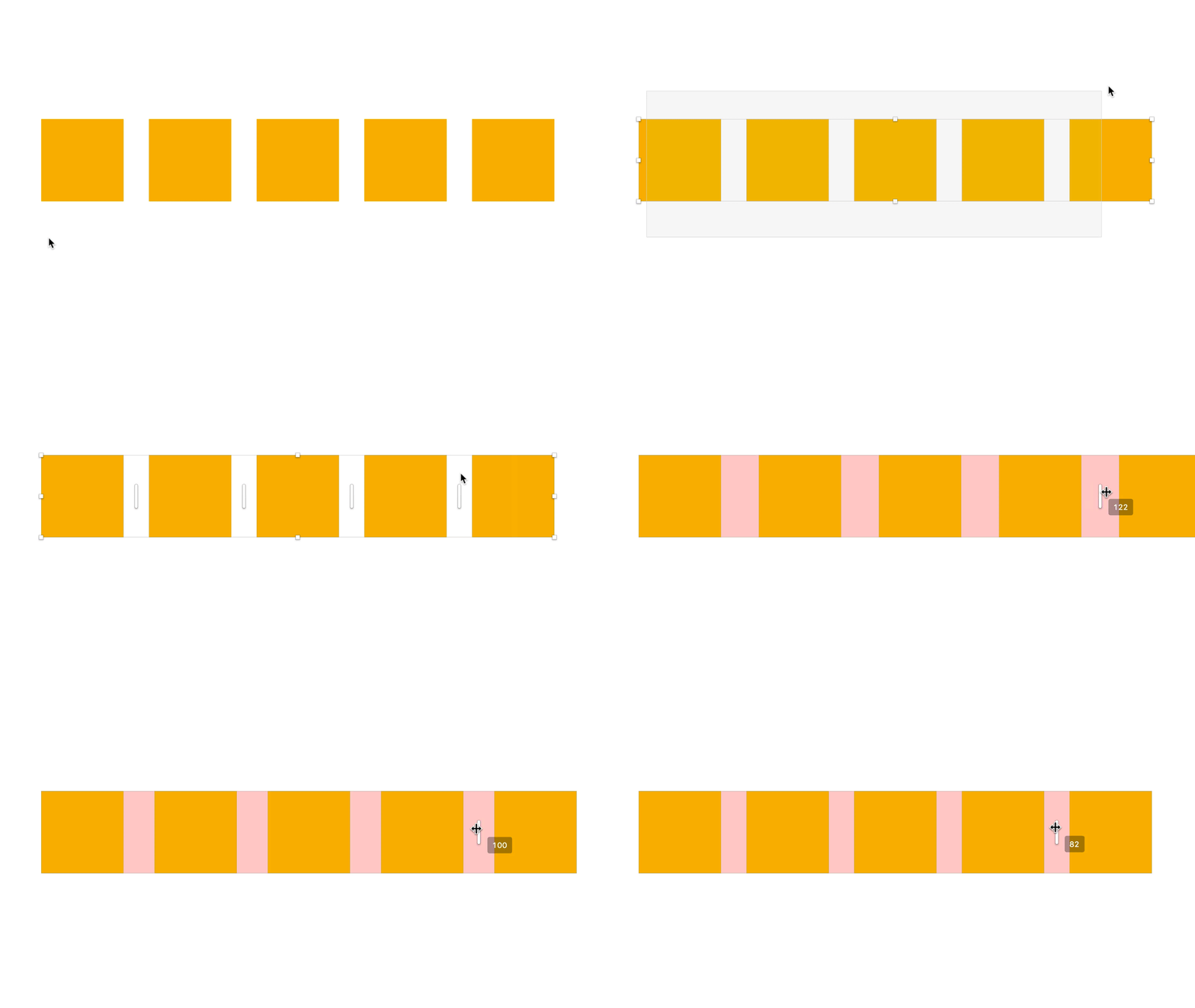
Auto layout in Figma maps closely to flexbox and CSS Grid, but the mapping is not exact. Figma's "hug contents" is roughly min-content; "fill container" is roughly 1fr or flex-grow. Absolute positioning in Figma produces absolute positioning in code — which is often not what you want for anything that needs to reflow. If your Figma frames rely heavily on absolute position for alignment, your developer is going to rebuild the layout logic from scratch, not translate it.
The most common sources of implementation drift are not bad developers or careless designers. They are ambiguities in the spec that both parties made different reasonable assumptions about. What happens to this layout at 375px when you only designed at 390px? What does this empty state look like when the API returns zero items? What happens to this heading when the content is three lines instead of one? These are not implementation details — they are design decisions that have to be made, and if the designer does not make them, the developer will.
The handoff gap was never really a tooling problem. It was always a communication problem with tooling symptoms. Zeplin did not fail because it was a bad tool; it failed to solve the problem because the problem was not "where do I find the spec" — it was "what does this spec mean when the code hits an edge case the spec didn't anticipate". That problem does not have a software solution. It has a relationship solution.
The teams shipping the best products in 2026 are not the teams with the most sophisticated Figma setup. They are the teams where the designer and the developer have built enough shared vocabulary to catch ambiguities before they become drift — where the designer knows enough about the box model to design with it, and the developer knows enough about the design intent to push back when an implementation is technically correct but visually wrong.
Invest in the tools. Design tokens are worth setting up properly. Dev Mode is worth using rigorously. Code Connect is worth the overhead if your system is stable enough. But invest in the relationship first. A well-structured Figma file in the hands of two people who cannot communicate will produce worse output than a messy file in the hands of two people who can. The pipeline is only as good as the understanding between the people at each end of it.